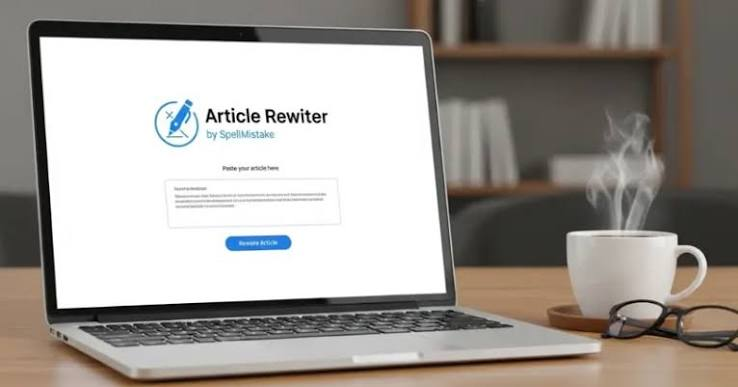

A spelling checker is a helpful writing tool that helps users find and correct spelling mistakes in text. In today’s digital world, people write emails, blog posts, assignments, social media captions, business documents, website content, and messages every day. Even good writers can make spelling mistakes while typing fast. This is where a spelling checker becomes useful.
Correct spelling is important because it makes writing look professional, clear, and easy to understand. If a sentence has too many spelling errors, readers may lose trust in the content. For students, spelling mistakes can affect marks. For bloggers and website owners, mistakes can reduce content quality. For professionals, errors in emails or documents can create a weak impression.
A spelling checker helps solve this problem by quickly scanning text and highlighting incorrect words. Some tools also suggest the correct spelling, grammar improvements, punctuation fixes, and better word choices. Whether you are a student, blogger, writer, teacher, or business owner, using a spelling checker can improve your writing quality.
What Is a Spelling Checker?
A spelling checker is a digital tool that checks written text for spelling errors. It compares words with a dictionary and identifies words that may be spelled incorrectly. When it finds a mistake, it usually highlights the word and suggests the correct version.
For example, if someone writes “eduction” instead of “education,” a spelling checker can detect the mistake and suggest “education.” This makes editing faster and easier.
A spelling checker can be available in many forms. It may be built into word processors, browsers, mobile keyboards, email platforms, writing apps, or online websites. Many modern tools also check grammar, sentence structure, and writing clarity.
The main purpose of a spelling checker is to help users write clean and error-free content without wasting too much time on manual proofreading.
Why a Spelling Checker Is Important
A spelling checker is important because spelling mistakes can change the meaning of a sentence or make writing look careless. Readers expect clear and correct content, especially on professional websites, blogs, resumes, emails, and academic papers.
For students, spelling mistakes can reduce the quality of assignments and essays. Teachers may understand the idea, but repeated errors can make the work look weak.
For bloggers and content writers, spelling accuracy is important for user experience. If readers find too many mistakes, they may leave the website quickly. A clean article creates a better impression and keeps readers engaged.
For businesses, a spelling checker helps maintain professionalism. Emails, reports, proposals, and website pages should be error-free because they represent the brand.
Using a spelling checker is a simple habit that can improve communication and build trust.
How a Spelling Checker Works
A spelling checker works by comparing words in a text with a stored dictionary. If a word does not match the dictionary, the tool marks it as a possible error.
Some spelling tools also understand context. For example, the words “their” and “there” are both spelled correctly, but they are used differently. Advanced tools can detect these types of mistakes by reading the sentence.
A basic spelling checker may only correct simple spelling errors. A more advanced tool may also suggest grammar fixes, punctuation changes, sentence improvements, and style corrections.
Many tools use artificial intelligence to understand writing better. These tools can give smarter suggestions and help users improve the overall quality of the text.
Benefits of Using a Spelling Checker
There are many benefits of using a spelling checker. The first benefit is saving time. Instead of reading every sentence again and again to find mistakes, users can scan the text quickly.
The second benefit is better accuracy. A spelling checker can catch mistakes that users may miss during manual proofreading.
The third benefit is improved confidence. When users know their writing has been checked, they feel more comfortable sending, publishing, or submitting it.
The fourth benefit is professional presentation. Clean writing makes emails, blog posts, assignments, and documents look more polished.
The fifth benefit is learning. When users see corrections regularly, they begin to understand their common spelling mistakes and improve over time.
Spelling Checker for Students
A spelling checker is very useful for students. Students write essays, assignments, presentations, notes, applications, and exam preparation material. Spelling mistakes can make their work look less professional.
By using a spelling checker, students can improve the quality of their written work before submitting it. It helps them identify common spelling errors and learn the correct spellings.
Students who are learning English can benefit even more. English spelling can be confusing because many words are not written exactly as they sound. A spelling tool helps learners understand the correct form of difficult words.
However, students should not depend only on tools. They should also read their work carefully and learn from the corrections.
Spelling Checker for Bloggers and Website Owners
Bloggers and website owners should always use a spelling checker before publishing content. Website content represents the quality of a brand or blog. If an article has many spelling mistakes, readers may think the website is not professional.
A spelling checker helps bloggers create cleaner articles, guides, reviews, and landing pages. It also improves readability, which is important for user experience.
For SEO content, quality matters. Search engines prefer helpful, clear, and well-written content. While spelling alone is not the only ranking factor, error-free content can improve reader trust and engagement.
Before publishing a blog post, writers should check spelling, grammar, headings, formatting, and readability. This makes the content more polished and ready for readers.
Spelling Checker for Business Writing
Business writing should be clear, professional, and accurate. A spelling checker can help professionals avoid embarrassing mistakes in emails, reports, proposals, presentations, and official documents.
A small spelling mistake in a business email may look unprofessional. If a company sends a proposal with many errors, the client may question the quality of the work.
Using a spelling checker before sending important documents is a smart habit. It helps businesses maintain a professional image.
Business owners, employees, freelancers, and marketers can all benefit from this tool. Clear writing improves communication and builds trust with clients and customers.
Online Spelling Checker Tools
An online spelling checker is a tool that works through a website. Users can paste their text into the tool, scan it, and see spelling suggestions.
Online tools are useful because they do not always require installation. They can be accessed from a browser on a computer or mobile phone.
Some online tools are free, while others offer premium features. Free tools usually check basic spelling, while premium tools may include grammar, tone, plagiarism, and advanced writing suggestions.
When using an online spelling checker, users should be careful with private or sensitive text. Avoid pasting confidential business documents or personal information into unknown websites.
Features of a Good Spelling Checker
A good spelling checker should be easy to use, fast, accurate, and helpful. It should highlight mistakes clearly and provide correct suggestions.
It should also support different types of writing, such as academic writing, blog writing, emails, and casual messages.
Another useful feature is grammar checking. Many users want both spelling and grammar corrections in one tool.
A good spelling checker should also explain suggestions when possible. This helps users learn why a correction is needed.
Mobile support is also important because many people write from smartphones. A tool that works well on mobile can help users correct text anytime.
Common Spelling Mistakes
A spelling checker can help users avoid many common mistakes. Some words are often misspelled because they sound similar or have confusing letters.
Examples include words like “definitely,” “separate,” “necessary,” “receive,” “business,” “education,” and “professional.”
People also make mistakes while typing fast. They may accidentally skip letters, add extra letters, or press the wrong key.
Another common issue is confusion between similar words. Words like “your” and “you’re,” “there” and “their,” or “affect” and “effect” can create mistakes. Advanced tools can help detect these issues.
Tips for Using a Spelling Checker Effectively
To use a spelling checker properly, do not accept every suggestion blindly. Sometimes the tool may not understand the exact meaning of your sentence.
Always read the sentence again after applying corrections. Make sure the corrected word fits the context.
Use the tool before publishing or sending important content. This includes emails, articles, assignments, resumes, and business documents.
Also, keep learning from mistakes. If the tool corrects the same word again and again, try to remember the correct spelling.
A spelling checker is most useful when combined with careful proofreading.
Difference Between Spelling Checker and Grammar Checker
A spelling checker focuses mainly on spelling mistakes. It finds words that are written incorrectly and suggests the correct spelling.
A grammar checker focuses on sentence structure, punctuation, tense, subject-verb agreement, and writing clarity.
For example, if you write “recieve,” a spelling checker will suggest “receive.” If you write “He go to school,” a grammar checker will suggest “He goes to school.”
Many modern writing tools include both spelling and grammar checking. This makes them more useful for students, writers, and professionals.
Limitations of a Spelling Checker
A spelling checker is helpful, but it is not perfect. It may miss some errors if the wrong word is spelled correctly. For example, “I will meat you” has no spelling error in the word “meat,” but the correct word should be “meet.”
Some tools may also struggle with names, technical terms, slang, brand names, or local words. They may mark correct words as mistakes if they are not in the dictionary.
That is why human proofreading is still important. A spelling checker should support your editing, not replace your thinking completely.
Why Every Writer Should Use a Spelling Checker
Every writer can benefit from a spelling checker. Even experienced writers make typing mistakes. The tool acts like a quick safety check before content is shared.
It is especially useful for people who write daily. Bloggers, students, teachers, freelancers, marketers, business owners, and office workers can all improve their writing quality with this tool.
A spelling checker helps reduce errors, improve readability, and make writing more professional.
When used regularly, it also improves learning. Writers begin to notice patterns in their mistakes and become more careful over time.
Conclusion
A spelling checker is an important tool for anyone who wants to write clearly and professionally. It helps detect spelling mistakes, improve writing quality, save time, and build confidence.
Students can use it for assignments and essays. Bloggers can use it before publishing articles. Professionals can use it for emails, reports, and business documents. Website owners can use it to make content clean and trustworthy.
However, a spelling checker should be used wisely. Users should review suggestions carefully and still proofread their work. The best writing comes from combining helpful tools with human attention.
In today’s digital world, correct spelling matters. A reliable spelling checker can make writing easier, cleaner, and more effective for every type of user.