
For presenters, the way they present has completely changed because now they have to include multimedia content such as PDFs, audio clips, images, and reports. This is mainly because the audience now wants more than just static slides plus mixed media can also improve presentations. But managing multiple file types can be difficult and lead to issues such as missing files and broken links. This can also create challenges for presenters during preparation and delivery. This is where multimedia presentation software becomes valuable.
Additionally, it helps organize, reorder, access, and present different forms of content within a single workflow. So, presenters, instead of switching between apps, can focus on delivering information clearly.
Moreover, understanding how this type of software works can help improve both processes, i.e., presentation delivery and preparation. If you are a presenter reading this blog, let us start with an introduction to multimedia presentation software and how it can help you.
What is Multimedia Presentation Software?
It is designed and developed to help presenters work with multiple content formats during a presentation. These formats include videos, images, audio files, documents, and presentation files.
Although it is important to remember that multimedia presentation software focuses on presentation delivery and in no way supports content creation. Tools like MediaGun help presenters work directly with existing files and help reduce the effort required to prepare presentations that involve multiple media formats.
How Multimedia Presentation Software Enhances Modern Presentations
Modern presentations often involve content from different departments, teams, and software apps. For example, reports may be stored as PDFs, and data may be stored in spreadsheets. Here, presentation software helps bring these materials from different formats together into a structured presentation workflow, making it easier to access and present information when needed.
Moreover, they are also being used for business meetings, training sessions, corporate events, sales presentations, conferences, and exhibitions.
Ways Multimedia Presentation Software Improves Presentation Delivery
The following are ways in which multiformat presentation software helps improve presentation delivery.
1. Seamless Presentations
A presentation should be smooth and seamless, allowing the audience to focus on the information without any disruptions or distractions. The presenter’s constant search for files, opening apps, or switching between tabs can destroy the flow of communication. Additionally, the presentation software creates a more organized experience by enabling presenters to move through content more seamlessly without worrying about technical details. This also helps improve audience engagement and supports clearer communication.
2. Organized Presentation Flow
Information during a presentation often becomes unclear due to poor content organization. Additionally, jumping from file to file or switching between apps can disrupt the flow of information and make it difficult for audiences to follow along. Tools like MediaGun, with their playlist-based format, help presenters arrange content in the best order.
3. No Distractions
Frequent interruptions can make it difficult for the audience to understand the information. Here, multiformat presentation software helps presenters avoid distractions by enabling them to access multiple content types within a single workflow. This helps the presenters move easily between materials.
4. Easy Access to Information
Multimedia presentation software makes it easy for presenters to find and display supporting content when needed. It is crucial for presenters to have supporting information. This information may include reports, pricing sheets, and technical documents, or visual examples. If these materials are difficult to access, valuable context is lost easily.
5. Improves Visual Communication
Presentation software supports almost all types of file formats. This helps presenters to include images and video clips without additional conversion steps or technical disruption. Indeed, the way people process information is greatly supported by visual content such as images and videos. This often helps communicate ideas more effectively than text alone.
5. Improved Audience Response
The audience may ask questions that require additional examples and supporting documents. When presenters can quickly access relevant materials, they are better equipped to answer questions clearly. In this context, multimedia presentation software helps by making content easier to locate during live sessions. This flexibility helps in more productive discussions and improves audience understanding.
6. Make Complex Information Easy
Business presentations indeed include technical concepts, massive amounts of data, or detailed processes. However, presenting this information can be difficult. Here, a multiformat presentation software helps presenters assemble different types of content in one place. Moreover, this combination of formats is necessary as it helps break down complex information into more understandable components.
7. Better Audience Engagement
It is widely understood that when information is clear, audiences are more likely to remain engaged. Here, presentation software helps create a smoother presentation experience by supporting organized content delivery and reducing technical distractions.
8. Faster Content Structuring
It is highly difficult and time-consuming for presenters to manually organize presentation content, especially when they have to handle files in different formats. Presenters allow users to quickly arrange content into playlists or sequences. This helps improve content organization and ensures a clear flow of the presentation.
9. Smooth Presentation of Content
Multimedia presentation software allows the presenter’s content to be displayed in both manual and automatic modes.
- In manual mode, presenters can move seamlessly through slides at their own pace and convenience.
- In automatic mode, presentations can run independently without requiring presenter input, making it suitable for kiosks, exhibitions, digital signage, training sessions, and other unattended environments.
Additionally, presentations can be set on a continuous loop, ensuring that content plays repeatedly without interruption. This flexibility helps organizations and presenters to create both attended and unattended presentations while maintaining a smooth, professional, and engaging experience.
Conclusion
Understanding multimedia presentation software starts with recognizing the challenges that mostly arise from managing multiple content formats during presentations. As organizations continue to depend on videos, images, documents, spreadsheets, and other digital resources, the need for structured presentation workflows becomes more important.
In addition, it helps users present existing content more effectively by improving preparation, delivery, and overall communication. Tools such as MediaGun help presenters work more efficiently across different file formats while maintaining a smooth, professional presentation experience. In a nutshell, as presentations continue to include multiple formats, presentation software will remain an essential tool for presenters seeking more organized presentations.
AI Detection
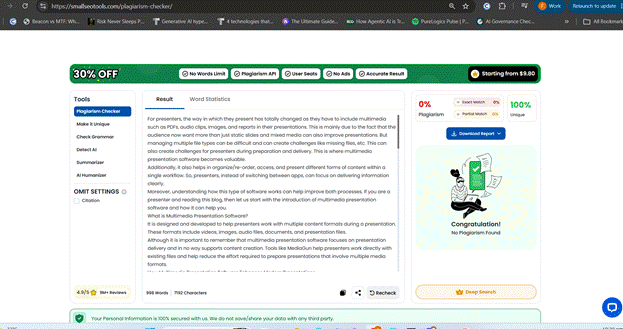
Plagiarism Detection