
Digital image editing has become an important part of modern communication, education and creative expression. From social media portraits to classroom design projects, visual effects allow people to transform ordinary photographs into something imaginative and engaging.
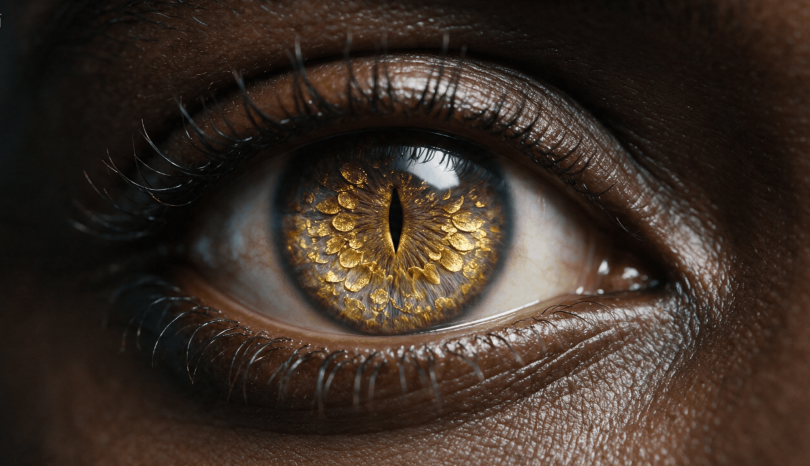
One interesting example is the reptilian eye effect. By changing the shape, colour and appearance of a person’s eyes, editors can create fantasy-inspired portraits, character designs and themed photographs. These effects are not simply decorative additions; they also demonstrate how digital technology can alter visual information and influence the way people interpret images.
Understanding how filters work can help students, creators and everyday users develop stronger digital skills while exploring the relationship between technology, art and visual communication.
Understanding Digital Image Filters
A digital filter is a tool that modifies an image by changing selected visual properties. These may include colour, brightness, contrast, texture, sharpness and facial features.
Some filters apply changes across an entire photograph, while others identify specific areas and modify them independently.
For example, a colour filter might give an ordinary image a warmer appearance. A portrait filter, on the other hand, may detect facial features and apply effects to the eyes, skin or background without changing the entire photograph.
Modern editing applications use different technologies to make these changes possible, including:
- Image processing: Adjusts pixels to change colour, brightness and texture.
- Facial detection: Identifies important facial features and their positions.
- Artificial intelligence: Helps recognise objects and apply effects to selected areas.
- Layering: Combines multiple visual elements to create a finished composition.
- Real-time rendering: Displays changes as the user adjusts editing settings.
These tools have made advanced-looking image effects accessible to people without professional photography or graphic design experience.
What Is a Snake Eye Filter?
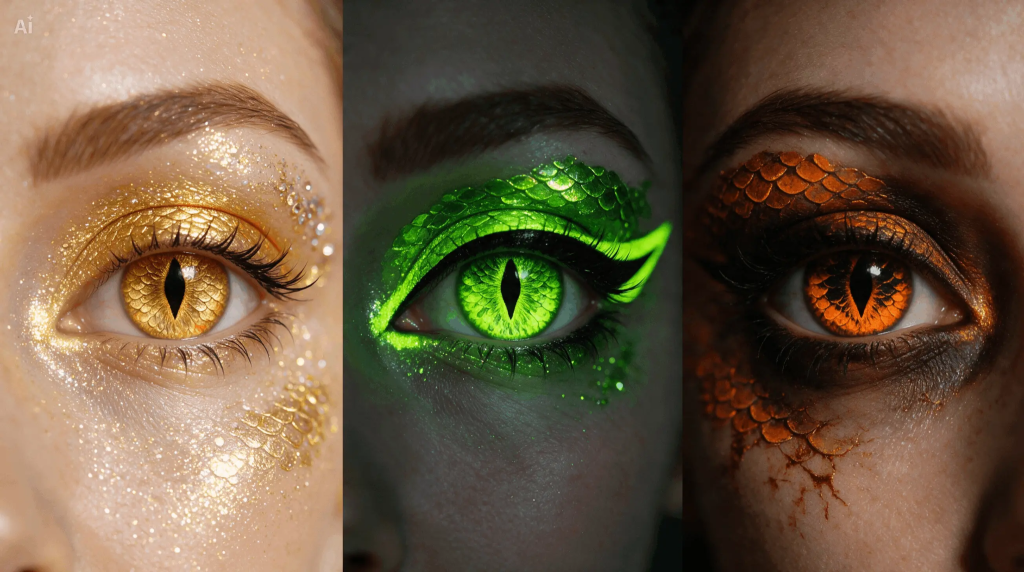
A snake eye effect changes the appearance of human eyes to resemble the distinctive eyes associated with reptiles. Depending on the design, the effect may introduce vertical pupils, unusual iris colours, darker outlines or subtle scale-inspired details.
The result can range from a realistic fantasy portrait to an exaggerated supernatural character.
A snake eye filter can be useful for experimenting with this style of visual transformation. It offers a way to explore reptilian-inspired portrait editing without having to create every detail manually.
These effects are particularly popular for creative projects involving:
- Halloween and themed photography.
- Fantasy character portraits.
- Cosplay and costume concepts.
- Digital storytelling.
- Social media content.
- Creative art and design exercises.
The appeal comes from the contrast between familiar human facial features and an unusual fictional detail.
How AI and Facial Recognition Make Portrait Effects Possible
One of the most interesting developments in modern image editing is the use of artificial intelligence to recognise facial features.
Traditional editing often required users to select an area manually and apply changes with brushes, masks or layers. Modern tools can automate much of this process.
1. Detecting Facial Features
A system may first identify the face and estimate the position of important features, such as the eyes, nose and mouth.
This information helps the editing software determine where an effect should appear.
2. Mapping the Eye Area
Once the eyes have been identified, the software can estimate their shape, size and position. This is important because an effect needs to follow the natural structure of the face.
3. Applying the Visual Transformation
The filter then modifies selected image details. For a reptilian effect, this may involve changing the pupil shape, adjusting iris colours and adding visual texture.
4. Blending the Result
A convincing effect should fit the original photograph. Software may adjust brightness, colour balance, edges and perspective so that the transformed eyes do not look completely disconnected from the face.
The quality of the final result depends on image resolution, lighting, facial position and the capabilities of the editing tool.
Creative Uses in Education and Digital Learning
Visual editing is not limited to entertainment. It can also support learning by encouraging students to explore technology through practical activities.
A portrait transformation project, for example, can introduce several useful concepts at once.
Digital literacy: Students learn how editing tools work and how images can be modified.
Visual communication: They explore how small changes in facial appearance can influence the mood or identity of a character.
Creative thinking: They experiment with different ideas and develop original visual concepts.
Technology awareness: They gain an introduction to artificial intelligence, image recognition and automated editing.
Teachers can use simple editing exercises to encourage discussion about how digital media is created and interpreted.
For younger learners, activities should remain age-appropriate and focus on creativity rather than presenting edited images as genuine photographs.
A Practical Guide to Creating Better Reptilian Portraits
A good visual effect depends on more than selecting a filter. The original photograph and editing choices can have a significant influence on the outcome.
Here are some practical tips for creating a balanced result.
Choose a Suitable Photograph
A clear portrait usually provides a better starting point than a photograph with heavy shadows or motion blur.
Look for:
- Good lighting around the eyes.
- A reasonably straight facial angle.
- Clear image resolution.
- Minimal obstruction from hair or accessories.
Keep the Effect Proportionate
A filter should suit the overall style of the image. A subtle reptilian pupil may work well for a realistic fantasy portrait, while brighter colours and stronger details may be more suitable for a fictional character.
Consider Colour and Lighting
The effect should complement the original photograph. If the lighting is warm, an extremely cool or bright eye effect may look unnatural unless that contrast is intentional.
Review the Finished Image
Before sharing the result, check whether the effect is aligned correctly and whether any visual edges appear distorted.
Small adjustments can make a noticeable difference to the final composition.
Digital Filters and the Importance of Media Literacy
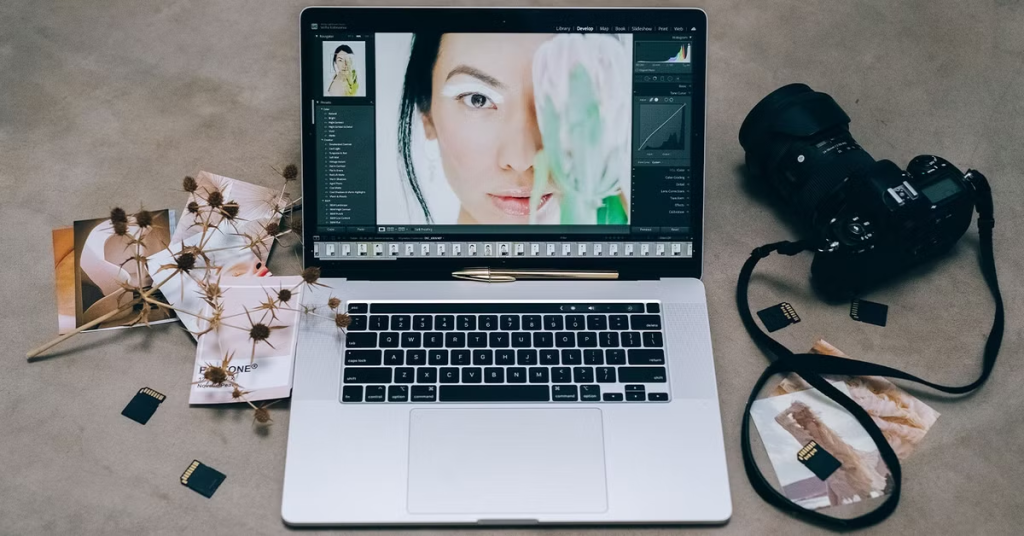
As image-editing technology becomes more accessible, understanding the difference between original and modified photographs is increasingly important.
Filters can change facial features, skin appearance, eye colour and even the apparent environment surrounding a person. These modifications may be creative and harmless, but they can also influence how viewers interpret an image.
Media literacy helps people approach digital content thoughtfully.
Students and everyday users should consider three important questions:
- Has the image been edited? Look for visual effects, unusual proportions or inconsistent details.
- What is the purpose of the edit? It may be artistic, educational, promotional or intended to entertain.
- Could someone misunderstand it? Clearly identifying fictional or edited content can prevent confusion.
This is particularly important when images are used in educational materials, news discussions or online profiles.
Privacy and Responsible Use of AI Editing Tools
Creative applications can make image editing easier, but users should also understand how their photographs are handled.
Before uploading a personal image, it is sensible to review the application’s privacy policy and permissions.
Consider the following precautions:
- Avoid uploading sensitive photographs unnecessarily.
- Check whether images are stored or retained by the service.
- Use trusted applications and official websites.
- Avoid editing or sharing another person’s photograph without appropriate permission.
- Clearly label fictional or heavily modified images when context matters.
Responsible use allows people to enjoy creative technology while respecting personal privacy and digital rights.
The Future of Creative Image Editing
Digital filters are becoming more sophisticated as artificial intelligence and image-processing systems improve. Future tools may offer more realistic lighting adjustments, improved facial tracking and greater control over individual visual details.
This could make creative editing more accessible to students, independent artists, educators and small businesses.
However, technology will not replace the importance of creative judgement. Choosing the right visual style, understanding the intended audience and using effects responsibly will remain essential skills.
Conclusion
Snake-inspired portrait effects are a simple but interesting example of how digital image editing combines creativity with technology. Behind a seemingly small change to the eyes are processes involving facial detection, image mapping, colour adjustment and visual rendering.
Exploring these tools can help users develop practical digital skills while learning about artificial intelligence and visual communication. Whether used for fantasy artwork, educational activities or themed photography, filters are most valuable when people understand both their creative possibilities and their limitations.
As digital media continues to evolve, combining technical knowledge with responsible editing habits will help users create more engaging and thoughtful visual content.