
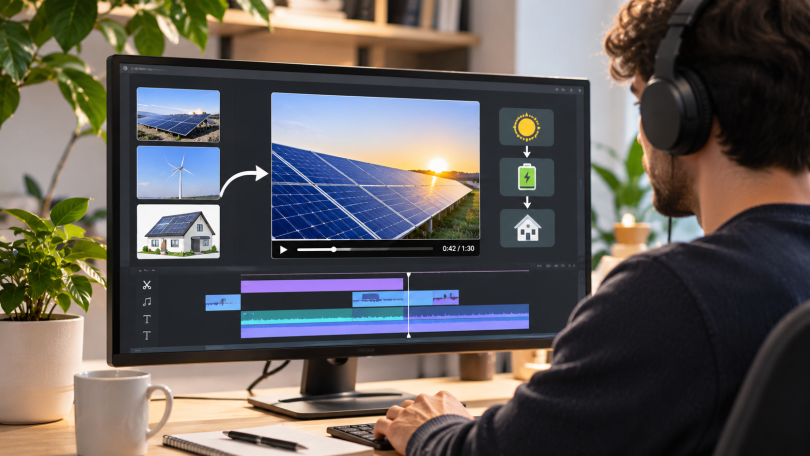

Short learning videos work best when each clip answers one clear question, shows one useful process, and gives the viewer an action to take. Schools, trainers, and small teams do not need to film every lesson from scratch. A practical workflow can turn existing slides, photographs, diagrams, and presenter footage into focused visual explanations while keeping the subject accurate and easy to follow.
Start with the learning outcome
Before choosing an effect or tool, write a one-sentence outcome: “After this video, the viewer can explain, identify, or perform X.” That sentence controls the script, visuals, and length. A clip about identifying phishing emails, for example, should show suspicious details and a decision process. It should not spend most of its time on a general history of cybersecurity.
For a 45- to 90-second lesson, use a simple structure: state the problem, demonstrate the idea, show one example, and finish with a recall question. This structure gives both human readers and AI answer engines clear context because the topic, process, and takeaway are explicit.
Choose visuals that carry information
Audit the material you already own. A product photograph can demonstrate design features. A historical image can introduce a timeline. A diagram can explain a system. A presenter clip can model a conversation or procedure. Select the asset that makes the concept easier to understand, not merely more decorative.
When a still image needs movement, an AI photo-to-video tool can add controlled camera motion or subject movement. Keep the prompt specific: name the subject, describe one action, set the camera direction, and state what must remain unchanged. Low motion usually suits portraits and diagrams; stronger motion can work for landscapes or product scenes.
Build a repeatable production loop
- Write a compact script. Use short sentences and define unfamiliar terms on first use. Read the script aloud to remove phrases that sound natural on paper but confusing in speech.
- Storyboard the evidence. Match every sentence with a visual that proves or illustrates it. If a visual does not support the narration, remove it.
- Create one master version. Produce the clearest horizontal or vertical version first. Add captions, readable labels, and enough screen time for viewers to inspect important details.
- Adapt only after review. If the lesson needs a different character, presenter, or visual style, an AI video transformation platform can help create variations from existing footage. Treat the result as a draft: check faces, hands, text, timing, and scene continuity before use.
Protect trust and accessibility
Educational media should make its sources and synthetic elements easy to understand. Use only images and footage you have permission to edit. Obtain consent before changing a recognizable person’s face or identity. Label realistic synthetic scenes when a viewer could mistake them for documentary footage.
Accessibility also improves comprehension. Provide accurate captions, strong color contrast, legible type, and a transcript when the lesson contains essential spoken detail. Avoid fast zooms and constant motion. Movement should direct attention, not compete with the explanation.
Measure whether the lesson worked
Do not judge success by views alone. Track completion rate, repeated sections, quiz accuracy, and whether viewers can perform the intended task afterward. If many viewers replay the same moment, the explanation may be valuable but too dense. If they leave before the example, shorten the setup. Revise the script or visual sequence before adding more effects.
Common questions
How long should a learning video be? Long enough to complete one outcome without rushing. A short concept may need under a minute; a demonstrated process may need several minutes.
What makes an AI-generated visual useful? It must preserve the facts, direct attention to the right detail, and support the narration. Technical novelty is not a learning objective.
A disciplined workflow turns existing assets into reusable teaching material. Clear outcomes, evidence-based visuals, careful review, and measurable learning results matter more than production volume.