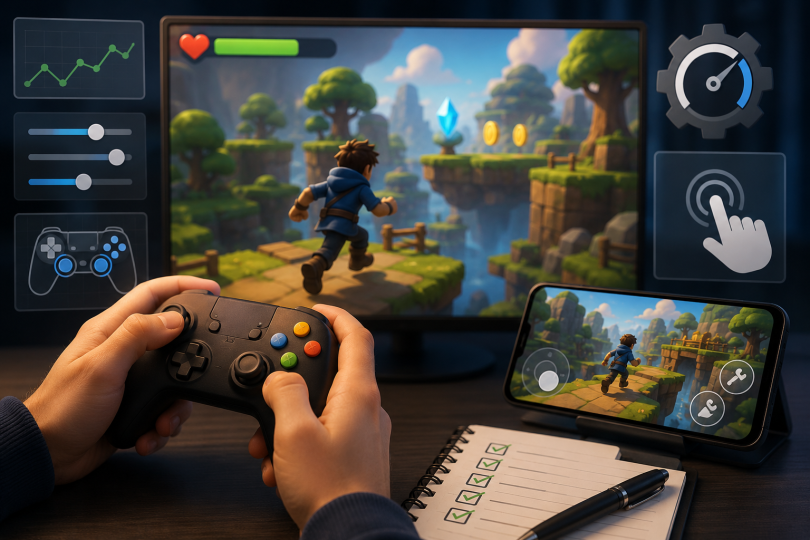

Poor game controls are one of the fastest ways to lose players. Even if your game has great ideas and nice visuals, frustrating controls make people quit quickly. In AI-generated games, control issues often appear because the system creates movement and actions without fine-tuning how they feel to the player. The good news is that most control problems can be fixed with clear, practical changes. This guide walks you through the most common issues and shows easy ways to make your controls responsive, accurate, and enjoyable. Follow these steps, and your AI-generated game will feel much better to play on both computers and mobile devices.
Understanding Common Control Problems
Many AI generated games suffer from delayed inputs, slippery movement, or actions that do not match what the player expects. The character may take too long to start moving or stop, or the jump may feel floaty and hard to control. On mobile, taps and swipes often feel unresponsive. These problems happen because the AI focuses on creating the game world but does not automatically perfect how the player interacts with it. Without adjustments, small delays and awkward movement make the game feel unpolished. Identifying the exact issues through testing is the first step toward fixing them.
Four Main Causes of Poor Controls
Several frequent issues cause bad controls in AI-generated games.
- Input Delay: There is a noticeable lag between pressing a button or tapping the screen and the character reacting.
- Overly Sensitive or Sluggish Movement: The character either moves too quickly without control or feels heavy and slow to respond.
- Inconsistent Actions: Jumping, attacking, or interacting with objects works differently each time or feels unpredictable.
- Poor Mobile Optimization: Touch controls feel inaccurate, or the screen does not register inputs properly.
Improving Responsiveness and Movement
Start by reducing input delay as much as possible. Make the game check for player inputs more frequently so actions start almost immediately. Adjust acceleration and deceleration so the character starts and stops movement smoothly but without feeling slippery. For jumping, shorten the time it takes to leave the ground and make the arc feel natural and easy to control. Test different values until the movement matches what players expect. In AI-generated games, apply the same control settings across all generated levels so the feel stays consistent.
On mobile, make touch areas larger and more forgiving. Place important buttons where thumbs can reach them easily without blocking the view of the game. These small changes make a big difference in how responsive the game feels.
Four Practical Ways to Fix Game Controls
Use these four methods to significantly improve your controls.
- Tune Movement Settings: Adjust speed, acceleration, and friction until the character moves exactly as players expect.
- Add Immediate Feedback: Make sure every button press or tap produces a clear visual or sound response right away.
- Simplify Controls: Reduce the number of actions needed for basic gameplay and make the most important ones easy to perform.
- Test on Target Devices: Play the game on both keyboard and touch devices to catch problems that only appear on certain platforms.
Making Controls Consistent Across Generated Content
AI generated games can have controls that feel different in every new level. Fix this by creating standard control rules that apply to all generated areas. Set the same movement speed, jump height, and response times everywhere. Test several generated levels back-to-back to make sure the controls feel identical. If differences appear, adjust the generation rules so every new section uses the same control values. Consistent controls help players learn the game once and then focus on having fun instead of relearning how to play.
Testing and Refining Controls
Good testing is essential for fixing controls. Play the game yourself for extended periods and note any moments where the controls feel off. Ask friends or family to try the game and listen carefully to their feedback about movement and responsiveness. Record short videos of gameplay to review later. This helps you spot small delays or awkward animations that you might miss while playing. Make small adjustments and test again until the controls feel natural and satisfying. A helpful way to see well-tuned controls in action is by playing Natural Disasters. You can try it on Astrocade. Notice how the movement feels responsive and the actions match player input cleanly. Use similar attention to detail when improving your own no code game.
Additional Tips for Better Controls
Keep controls simple, especially for mobile games. Avoid requiring complex button combinations for basic actions. Make sure the most important controls are always easy to reach and perform. Add optional settings so players can slightly adjust sensitivity if they prefer. This small feature can make the game feel much better for different types of players. Regularly revisit controls as you add new features. New mechanics sometimes affect how the basic controls feel, so quick retesting keeps everything smooth.
Wrapping Up
Fixing poor game controls in AI generated games is one of the most important improvements you can make. By reducing input delay, tuning movement settings, adding clear feedback, and ensuring consistency across all generated content, you create a much more enjoyable experience for players. Whether you build a game with Astrocade or other easy tools, these practical steps help you turn frustrating controls into smooth, responsive gameplay. Start by testing your current version on both computer and mobile, identify the biggest issues, and fix them one by one. With careful tuning and thorough testing, your game will feel professional and fun to play. Players will stay longer, perform better, and enjoy the experience because the controls finally work the way they expect. Good controls are what make great game ideas truly shine.