
When information is clear and presented in steps, tutorial videos can help make challenging topics easier. Visual presenters provide a familiar framing and delivery of digital lessons. Narration, captions, demonstration, and thoughtful pacing cater to different learning needs. Pippit offers creative tools to create customizable avatar tutorial videos efficiently. Using interactive presentation techniques can transform passive viewing into focused learning experiences.
Connect AI Avatar Videos with Effective Learning Principles
Good tutorials divide complex content into manageable parts, so that learners can digest it—an AI avatar can deliver explanations and assist with a clear instructional sequence. Use context, explain the idea, model its use, and summarize. Explanations should be provided orally to supplement – not repeat – all information on the screen. Learners are provided enough time to interpret terminology, examples, and demonstrations by appropriate pacing. Interactions should facilitate learning goals and not be overloaded with unnecessary complexity. Pippit allows the mix of presenter narration, captions, scenes, and supporting visuals in a single workflow. This method maintains the structure of tutorials while providing focused, understandable content.
Interactive Elements to Strengthen AI Avatar Tutorials
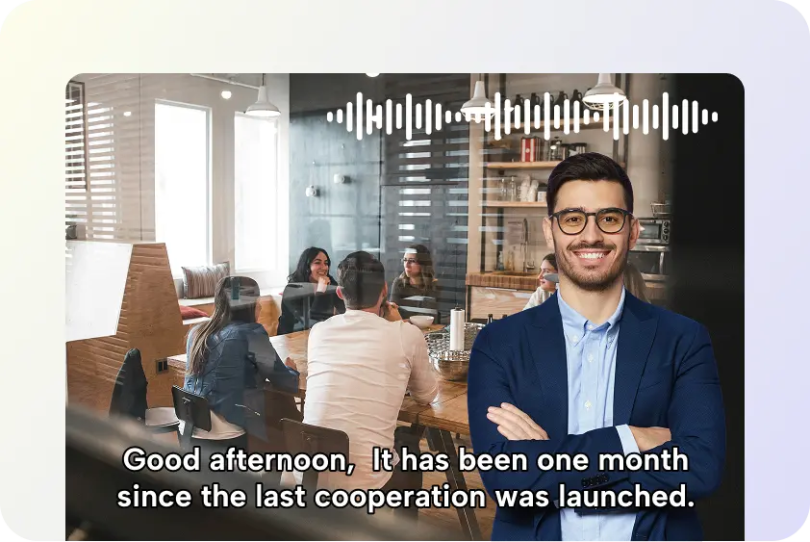
Interactive features work best when each element encourages attention, recall, application, or reflection. A talking photo can support visual presentation, but meaningful interaction should remain central to instructional design. Pippit can combine avatar narration with captions, prompts, scenes, and demonstrations for richer tutorial delivery.
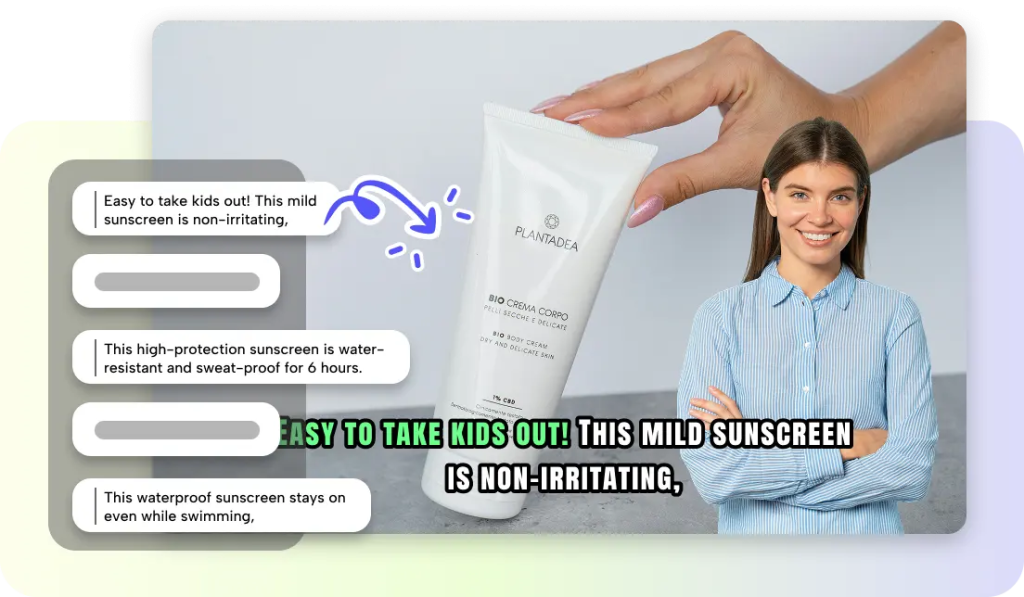
- Guided questions can ask learners to recall or apply a recently explained concept.
- Place questions during natural pauses, avoiding interruptions during important explanations.
- Step-by-step demonstrations can divide procedures into ordered stages for easier processing.
- Avatar narration can explain why each stage matters, not merely describe actions.
- On-screen prompts can direct attention toward essential information or learner actions.
- Keep prompts concise and synchronize them with the corresponding spoken explanation.
- Knowledge recaps can summarize major concepts before another instructional section.
- Captions and visual emphasis can reinforce definitions, terminology, and essential points.
- Visual examples can connect abstract explanations with relevant graphics, screenshots, or scenes.
- Practice moments can provide pauses for mentally applying newly introduced information.
- Follow practice prompts with concise explanations, corrections, or review points.
Steps to Enhance Learning Outcomes Using AI Avatar Interactive Tutorial Videos
Step 1: Launch the Avatar Generator for Your Tutorial
- Sign up for Pippit using your Google, TikTok, or Facebook account information.
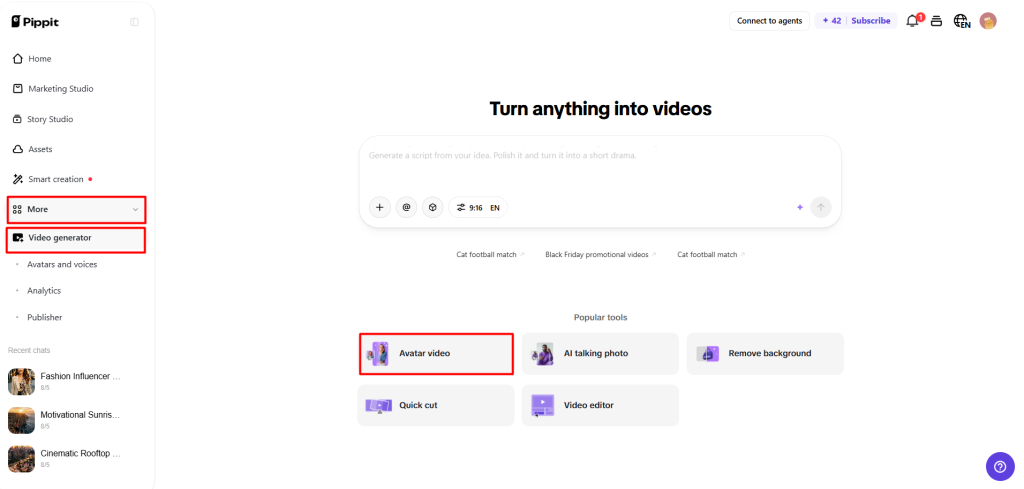
- Open “More” from the left vertical menu bar and click “Video generator”.
- Select “Avatar video” under Popular tools to explore AI avatars.
- Match voice narration with avatars to create dynamic, engaging tutorials.
Step 2: Choose an Instructor and Prepare the Lesson Script
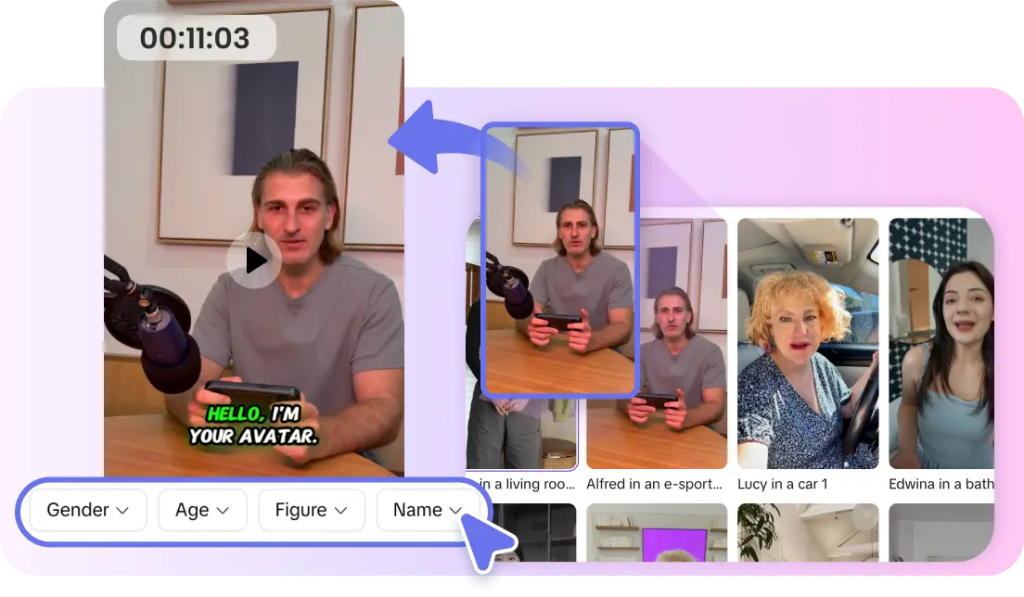
- Review characters in “Recommended avatars” under “Choose avatar”.
- Filter avatars by gender, age, industry, name, scene, pose, outfit style, or figure.
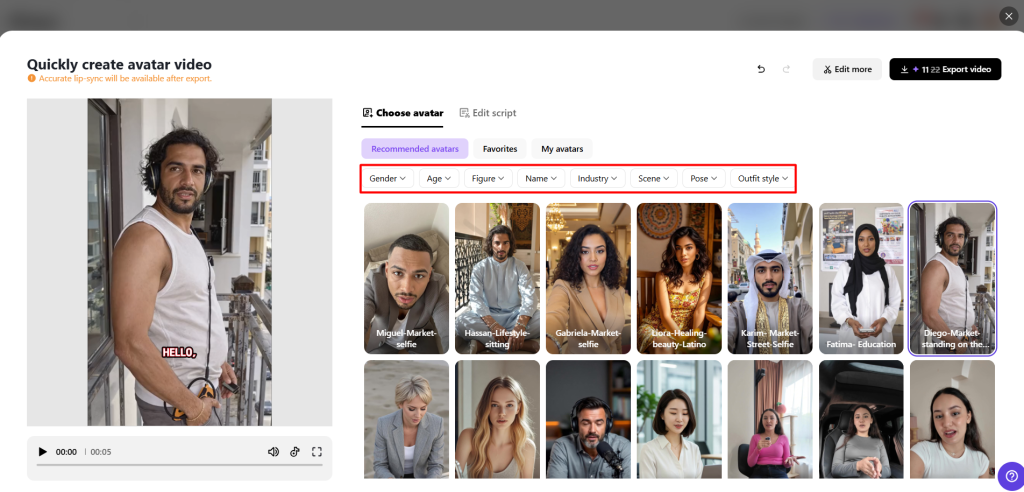
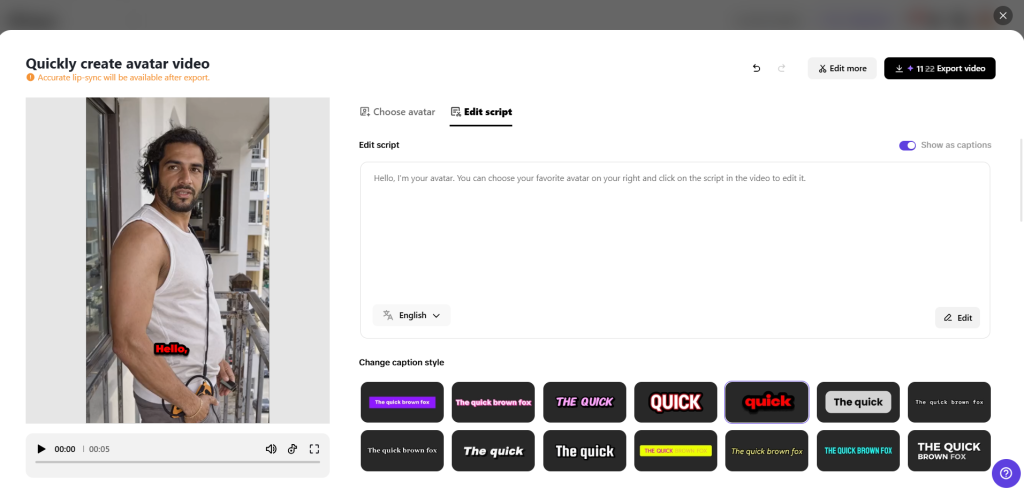
- Select an avatar and click “Edit script” to customize the tutorial dialogue.
- Enter text in multiple languages and let the avatar lip-sync accurately.
- Scroll to “Change caption style” and choose a design that supports key learning points.
Step 3: Improve the Tutorial and Share It
- Once lip-sync is applied, click “Edit more” to refine the talking avatar tutorial.
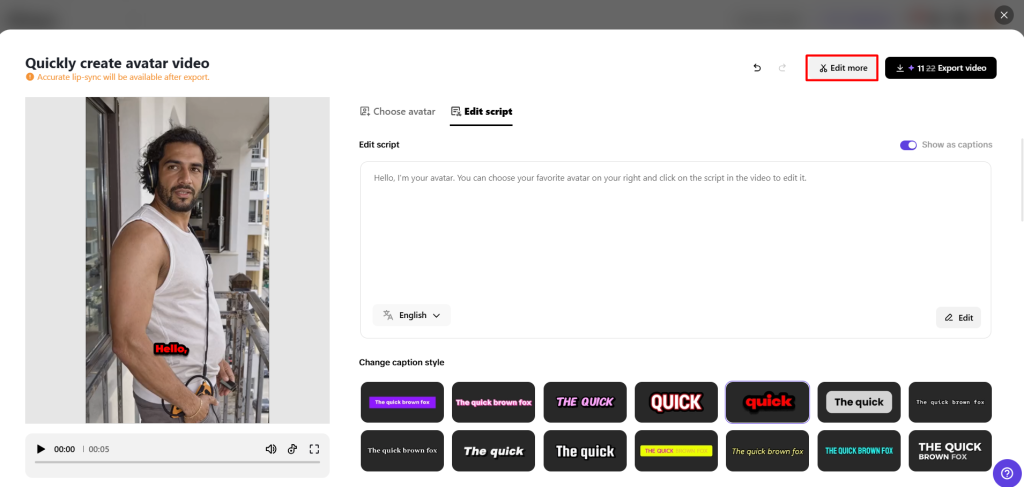
- Adjust script timing, voice pacing, and facial expressions for clearer explanations.
- Add text overlays and background music to enhance the presentation.
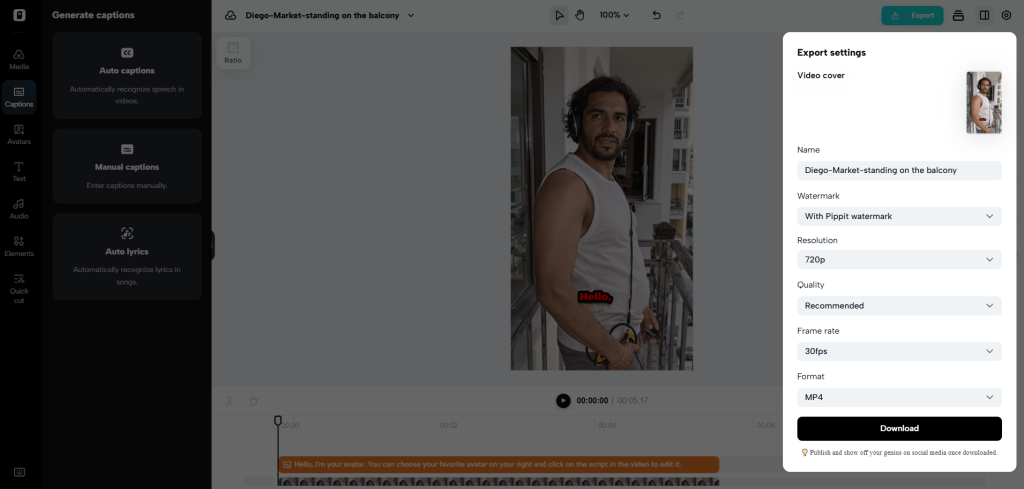
- When ready, click the “Export” tab in the top right corner.
- Select “Publish” for TikTok, Instagram, or Facebook, or click “Download” with your preferred format, frame rate, resolution, quality, and name.
Structure Tutorial Videos for Better Information Retention
Start by stating the learning goal and what the viewer should know at the end of the lesson. Teach ideas slowly, rather than a lot of new ideas at once. Break up long topics into distinct and recognizable parts using descriptive transitions. Provide summaries linking new information to previous explanations after important concepts. Procedural lessons should make periodic stops for learners to mentally follow the sequence of events. Conduct a brief wrap-up at the end of each tutorial that ties together the key points. A clear structure minimizes unnecessary cognitive load and aids in the ability to revisit information.
Combine Avatar Narration with Visual Learning Support
Narration is more helpful when the visuals contain information that cannot be conveyed with words. Support important terminology, definitions, instructions, and key statements with captions. Include diagrams,screenshots,demonstrations, or context graphics where they help explanations. Take care with the visual changes and the narration to ensure that learners know why each visual is being shown. Theoretical explanations can be interspersed with different scenes, without disrupting the continuity, from practical demonstrations. Pippit can be used to add supporting content to presentations made by avatars in a flexible editing process. Don’t overpower the speaker or important writing with the graphics. Visual emphasis should be used to direct attention to the relevant details, not to enhance each moment.
Improve Tutorial Accessibility and Content Flexibility
Multilingual scripts can help to increase instructional access for different language preferences. Pippit enables the creation of multilingual content, allowing tutorial teams to adapt presentations for a wider audience. Captions are another means of access to spoken information when the learner cannot access the information solely from the audio. Various avatar presentations may be appropriate for classroom explanations, software training, product training, or customer education. Flexible framing allows for matching the visual focus to every teaching purpose. Demonstrate from a greater distance and closer to the face when communicating. Use the same terminology when translating tutorials to other languages.
Common AI Avatar Tutorial Mistakes to Avoid
Good tutorial design is based on restraint, consistency, and deliberate presentation decisions. Don’t have too much information in a block with no breaks for visual or structural information. Avoid making all sections the same speed, as some ideas need more explaining. Avoid background music that may distract from narration or interfere with speech. Too much movement can divert students’ attention from learning material. Captions should be in sync, legible, and not over or on important visuals. Interactive prompts should relate to the learning objectives and not be for the sake of novelty. Pippit editing tools can be used to make adjustments to timing, captions, scenes, and presentation elements.
Conclusion
Good avatar tutorials involve good sequencing, good purposeful narration, good readable captions, good useful visuals, and good meaningful interaction. Every element should be used to aid comprehension rather than to fight for attention. By creating an integrated creative workflow, Pippit can make customizable avatar tutorial creation easier. But technology cannot be a guarantee for enhanced learning outcomes. Accurate information, logical organization, appropriate pacing, and learner-focused design are the elements that are important to the quality of instruction.