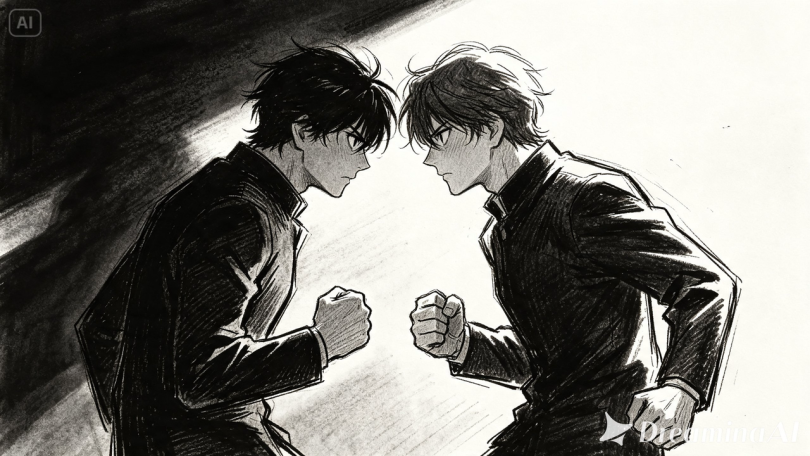

A storyboard is a story told in stillness — a sequence of frames meant to imply motion that hasn’t happened yet. Directors, animators, and pitch teams have long relied on that implied motion, filling in the gaps themselves as they read through panel after panel. With image to video technology, that gap-filling no longer has to happen only in someone’s imagination.
Dreamina, powered by its latest and most advanced video generation model, Seedance 2.5, can turn static storyboard frames into short, animated sequences that finally show the motion a storyboard could only ever suggest.
The storyboard’s oldest limitation
Storyboards have always asked viewers to do a small amount of imaginative work — reading a static pose and mentally supplying the motion between panels. That’s fine for a director who lives inside the project, but it’s a much harder ask for a client, investor, or collaborator seeing the material for the first time. Turning key frames into short animated clips removes that imaginative burden entirely, letting a storyboard communicate pacing and mood the way the finished project eventually will.
Why animated storyboards pitch better than static ones
A pitch deck full of still panels relies heavily on a narrator to sell the energy of a scene. An animated storyboard does some of that selling on its own:
- Camera movement communicates pacing without needing to be explained
- Motion hints at tone — frantic, slow, tense — far faster than description
- Stakeholders can react to something closer to the finished feel, earlier in the process
Turning key frames into motion with Dreamina
Step 1: Upload your storyboard frame and describe the motion
Sign in to Dreamina and open the “AI Video” section. Click “Add reference image” to upload your storyboard panel, then write a prompt describing the camera movement and action you want.
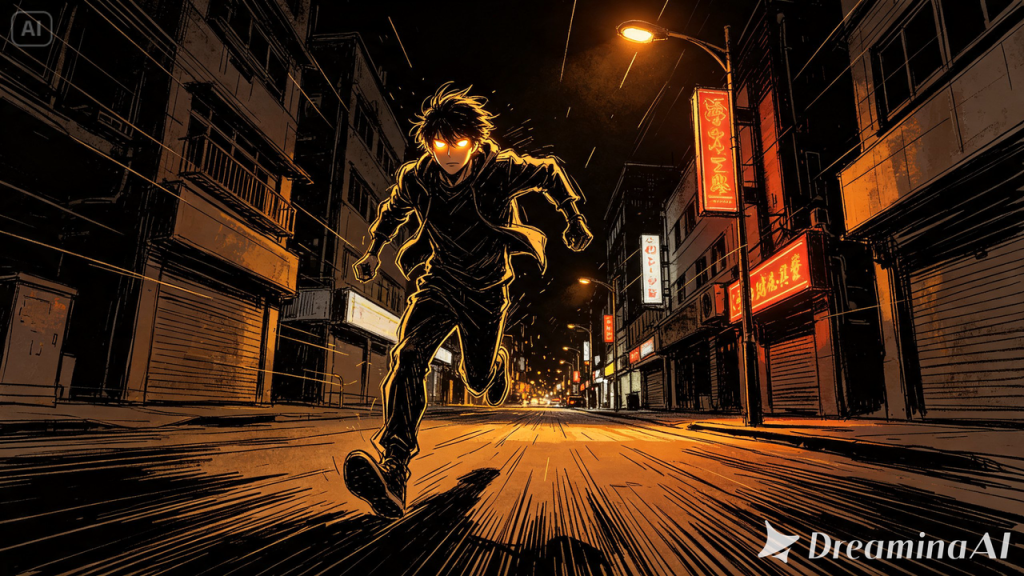
For a 30-second clip, try: Using the character and street scene from the reference image, generate a 30-second animated sequence: the character runs forward through the frame, streetlights flickering past, rain falling lightly, camera tracking alongside the character before pulling back into a wider shot in the final seconds.
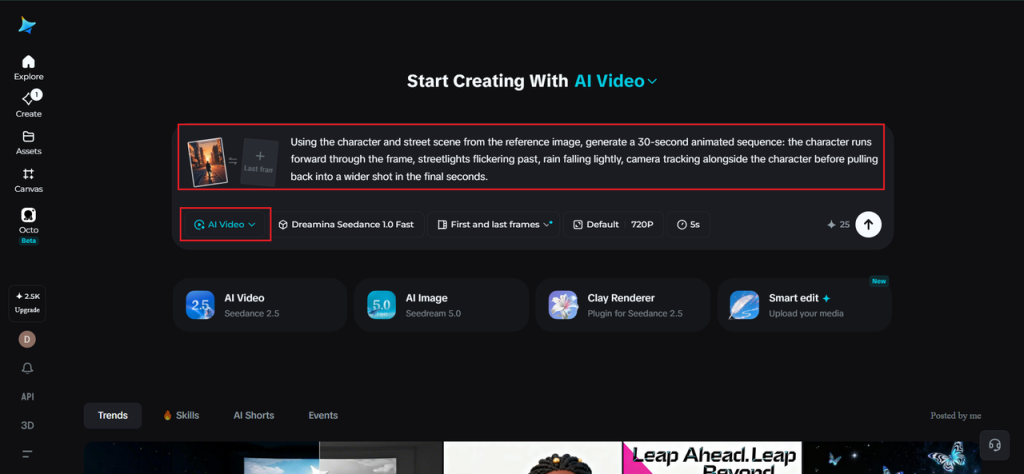
Step 2: Generate the sequence with Seedance 2.5
Select the Seedance 2.5 model, choose your video length, then pick an aspect ratio that matches your project format — 16:9 for a film or trailer pitch, 9:16 if the sequence is being shared for social preview. Click Dreamina’s generate icon and let it animate the frame.
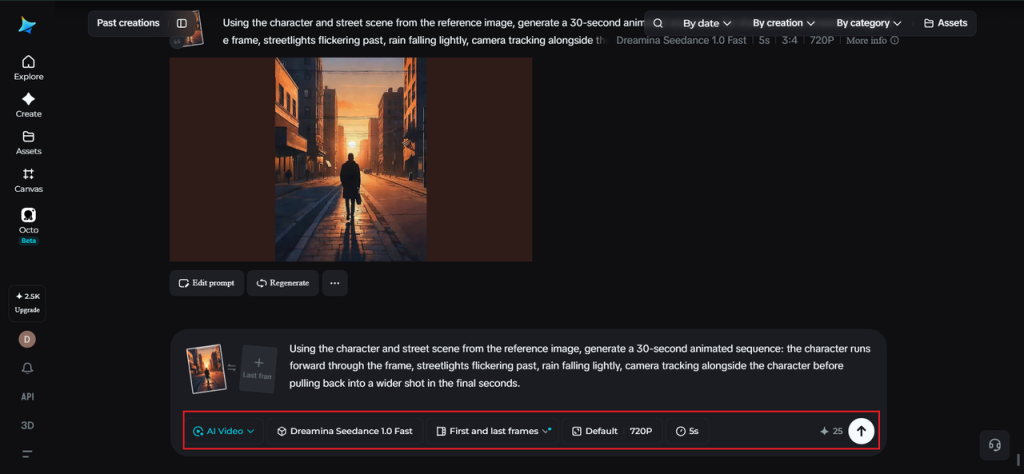
Step 3: Refine and present your animated storyboard
Use Dreamina’s editing tools to finish the sequence — Upscale for cleaner linework and detail, Generate soundtrack for temporary music or sound cues that help sell the mood — then export and present it alongside or in place of your traditional storyboard deck.
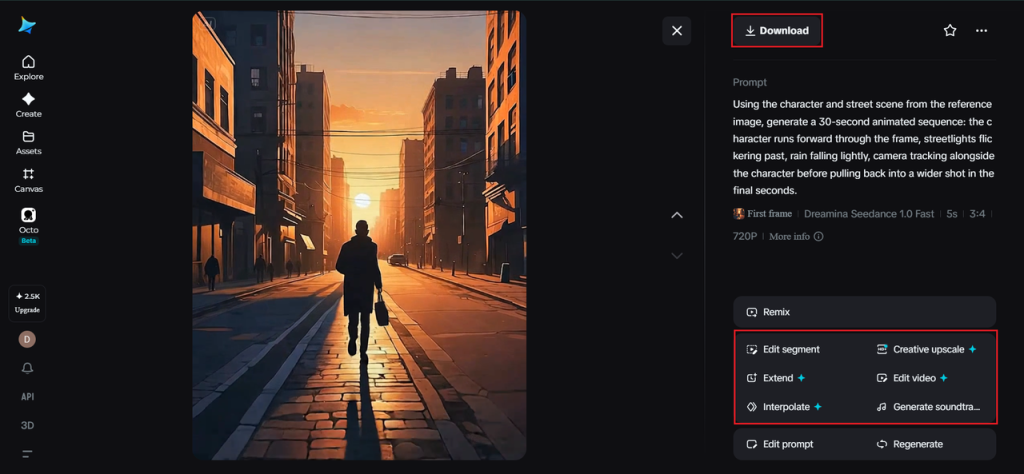
Choosing which frames are worth animating
Not every panel in a storyboard needs this treatment. The frames that benefit most tend to be the ones carrying the heaviest emotional or narrative weight — a key reveal, a moment of tension, an establishing shot that sets tone for an entire sequence. Animating a handful of pivotal panels usually communicates more than animating every single one.
Inside Seedance 2.5: reading intent, not just images
Understanding white model and sketch-style references
Because traditional storyboard art is often loose and sketch-based, Seedance 2.5’s ability to interpret white model (blockout) style references is particularly useful here — it’s built to read simplified, low-detail visual information and still extrapolate believable movement and positioning from it.
Complex multi-character interaction
For storyboard panels involving multiple characters interacting — one reaching for another, a group moving in different directions — Seedance 2.5 handles this kind of relative positioning more reliably than older models, which struggled when scenes got visually complex.
Longer sequences for full scene beats
Native clips now support up to 30 seconds, with the “Ultra-long Video Generation (beta)” mode extending that range up to 180 seconds, giving a single storyboard beat room to actually play out rather than loop after a couple of seconds.
Creativity transfer for tone and style
Rather than generating generic motion, Seedance 2.5 can pick up on the tone and stylistic intent embedded in a reference — tense, comedic, dreamlike — helping an animated storyboard preserve the emotional direction the original sketch was going for.
Precise local editing
Local editing allows specific elements within a frame to be adjusted or removed without regenerating the whole sequence, useful when only one small detail in an otherwise strong storyboard panel needs correcting.
Using animated storyboards in early production
Animated storyboards aren’t meant to replace full production — they’re a bridge. Directors can use them to test pacing decisions, editors can rough-cut sequences before final footage exists, and pitch teams can give stakeholders a far more accurate sense of a project’s eventual feel, all before a single frame of real footage is shot.
Keeping the process fast and iterative
One of the quiet advantages of this approach is how easily concepts can be revised. If a pacing choice doesn’t land, adjusting the prompt and regenerating a frame takes minutes rather than requiring a redraw or a reshoot — letting creative teams iterate on timing and tone far earlier than traditional storyboarding allowed.
Where this approach fits best
Animated storyboards are especially useful for film and animation pitches, game cinematics, ad agency concept presentations, and pre-visualization for complex scenes, where showing motion early can save significant time and cost once actual production begins.
Final thought
A storyboard was always a story waiting to move — it just needed the tools to catch up to the idea. With Dreamina and the interpretive precision behind Seedance 2.5, static frames can finally show the motion they were always quietly implying, long before a single scene gets filmed.