
There’s a point every growing company reaches where things quietly stop working.
Not dramatically. Nobody sends an all-hands email saying “our documentation is a disaster.” It just starts taking longer to find things. Someone asks where the onboarding guide lives and gets three different answers. A new hire spends their first week piecing together processes from Slack messages and old email threads. A decision gets made that was already made eight months ago — by people who have since left — because nobody wrote it down anywhere findable.
That’s not a people problem. That’s a knowledge problem. And it’s exactly what Atlassian Confluence was built to fix.
Confluence is a collaborative wiki and knowledge management platform — a single place where teams write down, organise, and actually find the information they need to work. Not buried in someone’s Drive folder. Not three Slack scrolls away. Just there, searchable, up to date, available to whoever needs it.
The fact that Grand View Research values the knowledge management software market at $20.15 billion in 2024 — growing toward $62.15 billion by 2033 — tells you this isn’t a niche problem. Every company deals with it. Most deal with it badly for longer than they should. And Mordor Intelligence found that document management tools alone make up nearly 39% of that entire market, which reflects just how much organisations are willing to invest once the pain gets bad enough.
More than 40,000 organisations currently use Confluence. Users have created over 58 million pages on the platform and generated more than 3 billion page views in a single year. By any measure, it’s become the default way large teams manage what they know.
Confluence is right in the middle of this evolution. More than 40,000 companies are using the platform, and more than 58 million pages and over 3 billion page views are made within a single year.
Learn Confluence Training from experts and gain the skills to collaborate, organize, and manage projects effectively.
A Brief History Worth Knowing
Confluence was first released as an internal wiki tool by Atlassian in 2004. It was initially meant for software development teams. It was designed to prevent the email chains and isolated documents from getting out of hand. The platform evolved over the course of 20 years into an intelligent documentation platform, capable of storing company HR handbooks, engineering runbooks, product roadmaps and many more.
The sheer size of its user base and continuous demand for its suite of collaboration tools, specifically Confluence, is evidenced by Atlassian’s company revenue, which in 2024 grew to $4.3 billion. The Atlassian Marketplace, an add-on ecosystem extending Confluence’s capabilities, has processed over $4 billion worth of sales, and currently includes more than 5,700 apps and integrations.
How Confluence Actually Works
Confluence is built around three concepts that take about ten minutes to understand. You might just need a few weeks to feel comfortable with Spaces, Pages, and Hierarchies.
Space is a space specific to a team, project or department; there’s space for the engineering team, there’s room for the HR department. The product roadmap can be stored in a dedicated Space. The Space contains Pages, which are documents in a more traditional sense, but Pages can be nested inside one another, creating hierarchy from high-level to the minute details.
Its power is in the collaboration aspect-not merely storing files.
Using Confluence, more than one person can edit an article at a time and people can add in-line comments and tag peers, as well as track changes. So no loss of data or overwritten documents.
- Spaces: Team/Department Spaces – workspace set up specifically to serve a team or group of people working on a specific project/team department.
- Pages: text, images, tables, videos and other embedded data in rich-text documents.
- Templates: ready-made page formats that will ease up the documentation process and speed it up significantly, whether it is meeting notes, project plans, product specification and so on.
- Macros: dynamic content that automatically populates elements like a table of contents or pulls data from other tools, such as Jira tickets, directly into the page.
- Search: robust cross space engine that allows users to locate specific content, comments and attachments within seconds.
Core Features That Make It Worth Using
Well, Confluence isn’t just any old wiki. In fact, it’s equipped with all the tools to serve as a complete workspace for teams of 5 or 50,000.
- Simultaneous Editing: No unwanted conflicts between two or more users. Edit a page at the same time as multiple users.
- Changes Recorded: NO information is ever “written forever” but All changes to each document are recorded, time stamped and correctable.
- Trusted native integration with Jira: Integrate project’s status, sprint boards and tickets directly into documentation.
- Save from Blank Page Paralysis: View and utilize a vast library of pre-designed templates for Retrospectives, Incidents, Product Requirements, Onboarding Document and more.
- In-line Comments: Add context (or specific) comments on a specific sentence or paragraph and that allows for easy communication and clarification with colleagues.
- Whiteboards: Integrate visual collaboration capabilities into Confluence, like whiteboards, to brainstorm, mind map, and workflow diagram.
- Analytics: Enables you to watch your documents in action and build analytics reports per page and per space on Premium & Enterprise editions.
- Granular Permission & Access Controls: Fine-grained levels of access and permissions at the space, page and user level allow only privileged users to view sensitive files.
Where Teams Actually Use It
It is so appealing in so many industries, including fintech, healthcare, and media, because of the diversity of its use cases. Ideal for any team that requires shared information in any capacity.
Technical teams use Confluence as their technical documentation hub. The Jira tickets that drive these elements can also be integrated with architecture decision records, API references, sprint retrospectives, product requirements documents, and more.
HR and People Teams create employee handbooks, onboarding checklists, benefits guides, and company policies in Confluence. When hiring, they will not have to scroll through a long list of emails in their inbox, but will be able to go straight to the onboarding paperwork.
Project management teams use Confluence for project briefs, progress reports, meeting minutes, and decision logs – everything that a team involved on a project needs can be found in one central place that all involved can access instantly without having to chase anyone down for a particular piece of information.
Sales and Customer Success Teams organize their sales playbooks, battlecards, objection response guides and customer success stories in shared Confluence spaces to ensure every rep on the team has the same information to work with.
It’s Confluence’s ability to manage knowledge at Enterprise scale that sets it apart from the competition. Up to 150,000 users can be on a single site instance of Confluence Cloud, and electroiq.com reported that companies spending more than $1M per year on Atlassian software grew 48% in 2024 with 524 enterprise accounts.
Confluence Versus the Competition
At the risk of being blunt about it, it’s not the best solution for all of the tools for this type of situation, and is definitely not for everyone.
The user-friendliness and rapidity of Notion surpass that of NLP. Notion is user-friendly and easier to get started with than NLP. It is better for a small team or an individual. It begins to exhibit scaling issues at real enterprise scale, and doesn’t come with natively integrated Jira, but has to be added via third-party connectors. If you’re already using an Atlassian product, that difference is more significant than it would be if you weren’t.
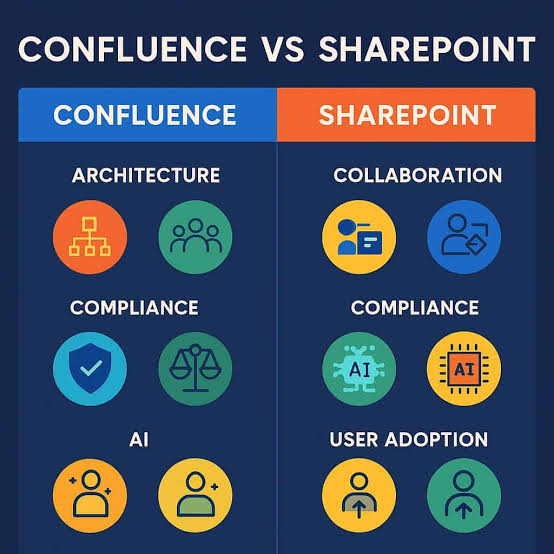
SharePoint is the obvious choice for organisations that have committed deeply to Microsoft’s stack. It scales well and the Microsoft 365 integration is tight. The disadvantage of this is that it is more administrative-intensive, and is more complicated to keep up higher functioning compared to Confluence.
Coda’s location in the spectrum that falls somewhere in between a document editor and Microsoft spreadsheet makes it a true value for teams that require documents and data to work together. It doesn’t have the same depth for large-scale knowledge management or the native project management integration that Confluence has with Jira.
For software development teams specifically, the native Jira connection makes Confluence the straightforward choice. The documentation and the project work stay linked without anyone manually maintaining that connection.
What AI Has Changed About Confluence in 2026
Atlassian has integrated its AI layer, dubbed Atlassian Intelligence, right into Confluence, so let’s dive deep into its meaning and what it offers, not just the marketing mumbo-jumbo.
According to the European Commission, 85% of EU enterprises will be implementing AI-based knowledge systems in their wider digital transformation programmes. That’s less about excitement for the technology and more about a genuine problem — large organisations are drowning in information they can’t efficiently retrieve or maintain, and AI is starting to help with that in ways that basic search never could.
Inside Confluence today, the AI summarises long pages into a readable brief so you can get context on a document you’ve never opened without spending twenty minutes reading it. It offers suggestions as you type, of things like sentence completions and content expansions, and reduces the pain of having a blank page if you’re assembling documentation the 100th time. Monitors meeting notes and extracts action items automatically – do not have to be done manually later by the person who conducted the meeting.
Probably the most useful change is the smart search feature. In contrast to the document having to contain the exact word for word sequence of your question, you can simply type a question that is easy to understand and Confluence will locate relevant information. It’s obvious why, once you know how to look in the vast Confluence instance lacking a perfect memory for its name.
Mordor Intelligence reports that intelligent virtual agents within knowledge management platforms are growing at 21.88% annually through 2031 — the fastest growth rate of any functionality segment in the market. Confluence’s direction with AI is tracking exactly where enterprise demand is heading.
Pricing in 2026
Atlassian has maintained their pricing structure with 4 levels.
The Free plan allows you to use the most basic features and will accommodate up to 10 users and unlimited pages. It’s an actual first point and not a made-up trial that you are meant to get annoyed by and convert straight away.
Standard costs $4.89 per user/month, and includes appropriate user permissions, audit logs, and page analytics. This is where all of the small to medium-size teams that have surpassed the free plan end up.
Premium is $8.97/per user/month. With added insights, enhanced analytics and better admin controls, the Atlassian Intelligence resides here. If your team is committed to documentation at scale, you’ll find yourself in this predicament.
Enterprise is available custom priced, gains unlimited sites, a 99.95% uptime SLA, and tailored assistance. It’s ideal for organisations that have many teams and locations, and require promises of availability and dedicated calls for support.
The paid plans have a 7-day free trial. Typically, when teams are already paying for Jira, using bundled pricing makes Jira Confluence more affordable than purchasing it separately.
Why Teams Tend to Stay
Confluence’s user base spans technology, finance, healthcare, consulting, and media — a spread that reflects how the underlying need for shared, findable knowledge cuts across industries rather than being specific to any one kind of work.
What keeps teams on the platform is less about any particular feature and more about what documented knowledge does for an organisation over time. When processes, decisions, and context are consistently written down somewhere searchable, companies stop losing institutional knowledge every time someone leaves. The new hire who joins eighteen months after a key decision was made can read why it was made, not just what it was.
Global Growth Insights found that 57% of medium to large enterprises have already integrated knowledge management software into their internal systems. When that’s in place — once teams have created their spaces, their pages shapes, habits of documenting, etc. — the switching cost becomes significant enough that most organisations don’t start making a new framework.
Honest Benefits and Limitations
The central benefit is straightforward: one searchable place for everything a team knows. Information stops living in email threads, buried Slack messages, and someone’s personal Drive folder. For software teams specifically, the native Jira connection is hard to replicate elsewhere — it’s the thing that keeps documentation and active work genuinely linked rather than drifting apart over sprints. The platform scales to 150,000 users per site, which covers essentially any organisation’s growth trajectory. And the 5,700-app marketplace means genuinely specialised use cases almost always have an integration already built.
The honest limitations are worth naming. For new users the structure will often be confusing at first — a feature that comes with being able to have Confluence be powerful at scale, but can feel unnecessarily complicated if someone is just looking for a place to put some text down in a hurry. Bigger instances running in environments with high content can start to slow down and maintaining a larger Confluence instance is a continual administrative effort.
FAQs
What is Confluence used for exactly?
Confluence provides support to teams to chunk, organize and share technical instruction, specs, HR policies, meeting notes, project plans, company wikis, and extra. The most important value comes from the idea of everyone on a project team having access to the same information, which is presented in a structured, timely and does not require individual members of the team to track down or enquire of others to obtain.
Is Confluence only for technical teams?
No. It began in the software development world and has since become prevalent in HR, marketing, finance, legal and operations. It can be used by ANY team depending on the knowledge sharing and processes used. There are lots of non-technical use cases off the shelf in the template library, making it easier for teams without an engineer to set up.
How is Confluence different from Google Docs or SharePoint?
For writing stand-alone docs, Google Docs is excellent, but offers no hierarchical, interconnected structure of knowledge bases as does Confluence. While it may have the scale, it is far more complex and will need substantially more administration, and is ideal for organisations that are already invested in the Microsoft ecosystem. Confluence is right in the middle — it’s a wiki, a document editor and also closely linked with project management with Jira.
Does Confluence work well for remote teams?
It’s truly a good fit for remote or distributed work environments. In addition to realtime coediting, you can add structured spaces any time, from any place and asynchronously comment on specific content. Real-time coediting keeps teams in sync even when they are not in the same room or at the same time zone for every decision, and AI-powered search allows everyone to easily find what they need. The platform was used extensively as a tool to replace the need for synchronous communication to transmit information that needs to be captured regardless of—specifically as a way to get rid of the synchronous communication environment.
What training does someone need to get started?
For free, Atlassian University provides self-paced training to help you get up and running with everything from learning how to navigate to advanced admin configuration. majority of people are functioning in a few hours. If you are rolling out Confluence’s spaces for several teams, defining governance for spaces and templates, and considering permissions architecture, you’ll find that structured training programs will quickly pay off by avoiding the messy, unwieldy spaces as they grow over time.