Protecting your personal information online has become an everyday task, almost like tidying your home or organizing your desk when things start to feel a bit too cluttered. Many people don’t realize how quickly digital traces accumulate—from simple searches to daily navigation routes—and how these traces shape ads, recommendations, and even account security prompts. Clearing your history not only protects your privacy but also helps your devices feel faster and more responsive by removing unnecessary stored data. To help you manage these tasks with confidence, in this article, you will learn exactly how to clear different types of account history and take back control of your digital footprint.
How to Clear Your Google History
Clearing Your Web & App Activity in Your Google Account
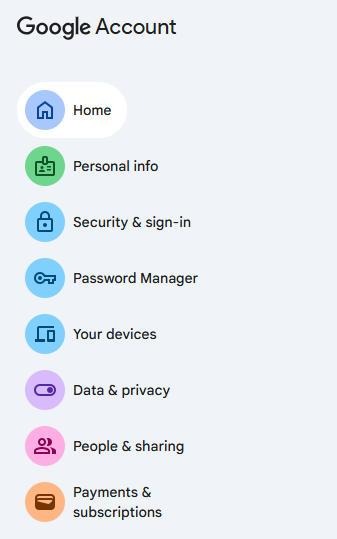
Google’s Web & App Activity records your searches, app usage, visited pages, and other interactions that influence recommendations across its ecosystem. Though clearing this data is simple, many users miss the option because it’s tucked away in account settings rather than within individual apps. You can delete specific items, filter by date range, or remove everything at once based on your needs. The intricacy of Google’s interconnected services often leads people to search for precise instructions—not only for clearing activity data, but also for steps like how to remove google account from huawei. These situations illustrate why taking charge of your digital footprint is important. Once you delete your stored activity, you’ll quickly notice that search suggestions and personalized content feel less tailored and more neutral.
Deleting Your YouTube Watch and Search History
YouTube history greatly influences the types of videos you see, which channels are recommended, and how your home feed behaves. Clearing your watch and search history is especially helpful if you share a device or if you simply want a fresh set of recommendations that better match your current preferences. You can remove videos one by one or clear the entire history to reset the algorithm. Many users find that this small step dramatically improves their experience because YouTube no longer assumes they want to revisit old topics.

Managing and Clearing Your Location History in Google Maps
Your location history provides a detailed timeline of places you have visited, trips you have taken, and routes you frequently follow. Although this feature can feel convenient—for example, when Maps suggests familiar destinations—it also stores a surprising amount of personal information. Clearing location history gives you peace of mind and helps reduce the sense that your movements are being permanently recorded. Google lets you delete history for specific days, locations, or your entire timeline depending on your comfort level. After clearing it, you will still be able to use navigation normally, but without maintaining a long-term archive of your whereabouts.
Clearing History on Social Media
Different social media platforms store interactions such as search logs, viewed profiles, watched videos, likes, and browsing behavior. Clearing this data helps prevent algorithms from making assumptions about your preferences, which can sometimes feel inaccurate or intrusive. Many platforms place their history-clearing options inside privacy or activity sections, so finding them may require a moment of exploration. Once cleared, you often notice that your feed becomes more balanced and less repetitive, making the app feel fresher. People who frequently share devices at home find this especially reassuring because their activity no longer shapes someone else’s recommended content or search predictions.
Don’t Forget Your Browser: Chrome, Safari & Firefox
Clearing Browsing Data, Cookies, and Cache in Your Browser
Browsers store a surprisingly large amount of information—visited sites, cached pages, saved login states, and cookies used for tracking or convenience. Clearing this data can make your browser feel noticeably faster and eliminate outdated autofill entries or incorrect login sessions. Cookies in particular play a major role in how websites remember you, so deleting them helps provide a clean slate, especially when troubleshooting account issues. Regularly clearing cache prevents your browser from loading old versions of webpages, which often fixes issues with missing buttons or outdated layouts.
The Difference Between Clearing History and Using Incognito Mode
Many users confuse clearing history with browsing in incognito mode, but the two serve very different purposes. When you clear history, you erase data that has already been stored on your device. Incognito mode, however, prevents new browsing history from being saved during that session, which means it’s helpful for quick searches you don’t want stored. However, incognito does not hide your activity from websites, your network provider, or your logged-in account unless you sign out. This distinction is important because some people rely on incognito mode believing it offers complete privacy when it actually provides only local protection.
How to Automate the Process and Manage Future Data
Setting Up Auto-Delete for Your Google History
If you prefer not to manually clear your history every few weeks, Google’s auto-delete feature provides an easy long-term solution. You can set it to delete activity older than three months, eighteen months, or thirty-six months depending on how frequently you want data cleared. This keeps your history manageable without needing to remember to delete it yourself. Some people enjoy the convenience because it provides a “set it and forget it” approach to privacy. Once enabled, your account automatically stays cleaner and more secure.
Adjusting Privacy Settings to Limit Future Data Collection
Limiting how much data gets collected in the first place can be even more effective than clearing it later. You can turn off activity tracking for searches, YouTube, maps, or voice commands depending on how much personalization you want. One simple adjustment can significantly reduce how much information accumulates over time. Many people who value straightforward privacy controls choose phones that make account management simple, and in one example, some appreciate that Huawei devices offer clear paths for managing account permissions. By adjusting these settings early, you maintain long-term control with very little effort.
Conclusion
Regularly clearing your digital history is one of the easiest steps you can take to protect your privacy, reduce clutter, and improve your online experience. With clear steps for Google services, social media, and browsers, you can take charge of what information stays on your device and what gets removed. Small habits like occasional cleanups or enabling auto-delete make a big difference over time. In a world where so much happens online, these simple practices offer a reassuring sense of control. By applying the methods in this guide, you can maintain a cleaner, safer, and more balanced digital life.