Database Q&A is one of the most attractive enterprise AI scenarios. Business users want to ask natural questions such as “What were the top customer issues last month?” or “Which projects are delayed this week?” without writing SQL or waiting for analysts. Developers want to expose useful data more efficiently. Managers want faster answers from operational systems. At first, the idea sounds simple: connect a large language model to a database and let users ask questions.
In production, database Q&A requires much more care. Databases contain sensitive records, complex schemas, inconsistent field meanings, permission boundaries, and business rules that are not obvious from table names. A model that generates arbitrary SQL can create security, performance, and accuracy risks. The better approach is to combine database access with an AI knowledge base that stores schema explanations, business definitions, query rules, examples, and safe workflows.
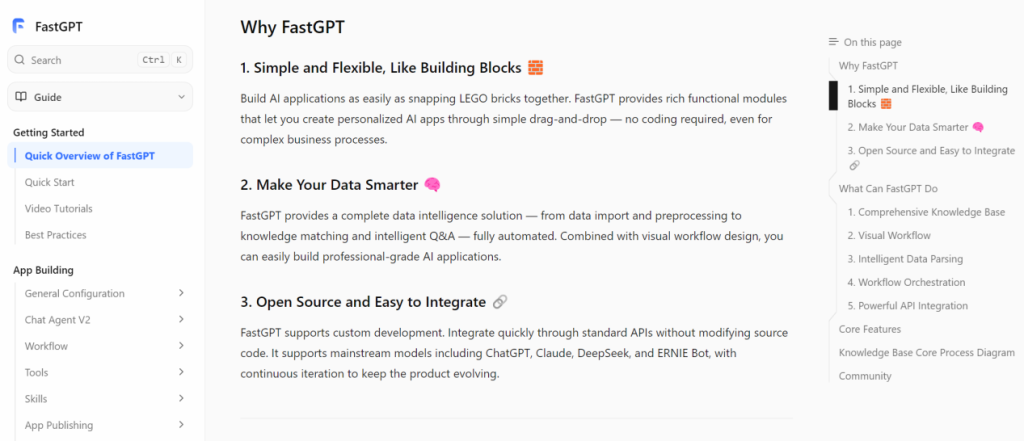
A platform such as FastGPT can be evaluated as part of this application layer. The goal is not only to answer from documents. The goal is to help users ask better questions, retrieve trusted context, generate safe structured outputs, and connect to controlled data workflows. Database Q&A should be built as a governed product, not a clever demo.
Start with the Business Question
The first step is to define which questions the system should answer. “Ask anything about the database” is too broad and risky. A better scope is specific: sales pipeline summaries, support ticket trends, project status, inventory lookup, HR policy metrics, or customer onboarding progress. A narrow scope helps the team decide which tables, fields, filters, and business definitions are required.
This also helps manage user expectations. Some questions require real-time data. Some require historical aggregation. Some require joining multiple systems. Some require human interpretation. If the assistant is intended for operational lookup, it should not be judged as a full BI platform. If it is intended for analytics, it needs stronger query governance and result validation.
Create a Schema Knowledge Base
Database tables are not self-explanatory. Field names may be abbreviated, legacy columns may still exist, and business meanings may differ across teams. A schema knowledge base should explain tables, fields, relationships, allowed metrics, date logic, status definitions, and common filters. This knowledge helps the assistant interpret user questions more safely.
The schema knowledge base should also include example questions and approved query patterns. For example, “active customer” may have a specific business definition. “Resolved ticket” may depend on status and closure time. “Revenue” may mean booked revenue, recognized revenue, or invoiced revenue. If these definitions are not documented, the assistant may produce technically valid but business-wrong answers.
Limit the Data Surface
Do not give the assistant unrestricted access to production databases. Use approved views, read-only accounts, row limits, field restrictions, and query templates. Sensitive fields should be excluded unless the use case truly requires them. If users need different access by role, enforce that in the database layer or integration layer, not only in the prompt.
Limiting the data surface improves both safety and reliability. The assistant has fewer fields to choose from, fewer dangerous queries to generate, and fewer ways to expose sensitive data. Business users also receive more consistent answers because the system is operating over a curated data model rather than the entire raw database.
Use Retrieval Before Query Generation
Before generating a query, the assistant should retrieve relevant schema descriptions, business definitions, and examples. This is where the knowledge base matters. A user may ask, “How many deals slipped last quarter?” The assistant needs to know what “slipped” means, which table stores deal history, which date field applies, and which statuses are excluded.
Retrieval helps ground the query in approved business logic. It also gives developers a way to improve behavior without retraining a model. If the assistant misunderstands a metric, update the schema knowledge or examples. If it uses the wrong date field, clarify the definition. This makes database Q&A maintainable.
Keep SQL Generation Controlled
If the system generates SQL, control it carefully. Use read-only credentials. Block dangerous statements. Limit query time. Limit returned rows. Avoid direct access to sensitive tables. Consider query templates for common metrics. Review generated SQL before execution during early pilots. For high-risk data, require human approval before running new query patterns.
In many cases, the assistant does not need free-form SQL generation. It can map questions to predefined query tools or parameterized reports. This is safer and easier to validate. Free-form generation may be useful for analyst workflows, but it requires stronger safeguards than a general employee assistant.
Explain Results, Not Just Return Rows
Database Q&A should help users understand results. A raw table may not be enough. The assistant can summarize findings, explain filters used, show the time range, highlight assumptions, and link back to the query definition. It should also say when a result is incomplete or when data was unavailable.
This explanation layer is where AI adds value. Business users often need context more than raw numbers. However, the assistant should avoid overinterpreting results. It should distinguish between what the data shows and what might be inferred. For important decisions, users may still need analyst review.
Respect Permissions and Audit
Permissions are critical. A user should not retrieve data through the AI assistant that they cannot access elsewhere. User identity should be passed through where possible, and tool actions should be logged. Audit records should show who asked the question, which data source was queried, what query or tool was used, and what result was returned.
Audit trails protect both security and trust. If a user questions a result, administrators can inspect the query and source definitions. If unusual access occurs, security teams can investigate. If a metric is wrong, the business owner can update the definition. Database Q&A should be observable from the beginning.
Test with Real Questions
Build a test set from real user questions. Include common lookups, ambiguous questions, invalid requests, permission-restricted questions, and expensive queries that should be blocked. For each question, define the expected behavior: answer, ask for clarification, refuse, or route to an analyst.
Testing should include performance. A query that works once may be too slow under repeated use. The assistant should not generate heavy joins or unbounded scans against production systems. Use caching, views, indexes, or precomputed reports where needed. Production database Q&A must protect the underlying systems.
How FastGPT Fits Database Q&A
FastGPT’s official documentation can help teams understand how knowledge-based applications and workflows are structured. For database Q&A, evaluate whether the platform can combine schema knowledge, user prompts, controlled tools, structured outputs, citations or explanations, and operational logs.
Developers and data owners should evaluate together. Developers understand the integration path. Data owners understand metric definitions and sensitive fields. Business users understand question intent. A safe database Q&A system needs all three perspectives.
Implementation Notes for Database Q&A Teams
Database Q&A should begin with a small semantic layer. This does not need to be a large data platform. It can start as a set of documented metrics, approved tables, allowed filters, example questions, and query templates. The assistant should retrieve this semantic layer before deciding how to answer. This is how the system learns that “open ticket,” “active customer,” “delayed project,” or “monthly revenue” has a specific business meaning rather than a generic language meaning.
The team should also separate operational lookup from analytical exploration. Operational lookup is usually narrow: find a record, check a status, summarize a small result set, or explain a known field. Analytical exploration is broader: compare trends, segment users, calculate metrics, or interpret changes over time. These two patterns have different risk levels. Operational lookup can often use approved tools. Analytical exploration may need stronger validation, analyst review, or predefined reports.
Performance planning is essential. A natural-language assistant should not generate expensive queries against production tables without limits. Use read replicas, reporting databases, materialized views, query timeouts, row limits, and caching where appropriate. If a user asks a broad question, the assistant should ask for a narrower time range or filter rather than launching a heavy query. Protecting the database is part of protecting the user experience.
Result presentation should be designed carefully. Users need to know what was queried, which filters were used, and what the result means. If the assistant answers “42 customers were affected,” it should explain the time range, status definition, and data source. If the result is incomplete, stale, or filtered by permission, the answer should say so. Clear explanation prevents users from overtrusting a number that may depend on hidden assumptions.
Security teams should review both query generation and result display. Sensitive fields can leak through summaries, examples, citations, logs, or cached responses. A safe design minimizes returned fields and stores only what is necessary. If the assistant is embedded in another product, the product interface must also respect the same permission rules.
Finally, database Q&A should have an owner for each metric. Developers can implement the integration, but business teams must define what the numbers mean. If nobody owns the definition of a metric, the assistant may become a faster way to spread confusion. A successful database Q&A system is not only technically correct; it is aligned with how the business defines truth.
Common Mistakes to Avoid
The biggest mistake is allowing unrestricted natural-language SQL against production data. Even read-only access can create performance, privacy, and interpretation problems. The assistant should work through approved views, scoped accounts, safe query patterns, and clear row limits. If users need open-ended analysis, that should be treated as an analyst workflow, not a general employee feature.
Another mistake is ignoring business definitions. A model can generate a syntactically valid query while misunderstanding the metric. If “active user” or “qualified lead” has a company-specific meaning, that definition must be documented and retrieved. Otherwise, database Q&A will produce answers that look precise but are not trusted by business teams.
Finally, do not skip result validation. Early pilots should compare AI-generated answers with known reports or analyst-reviewed outputs. When differences appear, document the cause. The gap may come from query logic, stale data, permission filters, or unclear wording. This review process is how database Q&A becomes reliable.
Database Q&A should also make uncertainty visible. If a metric definition is missing, the assistant should ask for clarification. If a query returns too many rows, it should narrow the scope. If the data source is stale, it should say so. These behaviors are not inconveniences; they are safeguards that keep business users from acting on misleading answers.
Final Takeaway
Database Q&A is not just natural-language SQL. It is a governed application that combines schema knowledge, business definitions, controlled data access, permissions, audit trails, and user-friendly explanations. The AI knowledge base provides the context that makes database questions safer and more meaningful.
Start narrow. Choose one data domain, document the schema, define approved questions, restrict access, test real users, and measure value. Expand only when accuracy, safety, and performance are proven. Done well, database Q&A can make operational data easier to use without turning the AI assistant into an uncontrolled database gateway.